Requesting Proxy Access to a Child’s MyChart Account
Parents/guardians can be granted proxy access their child’s (age 11 and younger) MyChart account. Proxy access allows the parent/guardian to review the child’s medical history, manage appointments, message the child’s provider, and much more.
NOTE: When a child reaches the age of 12, proxy access for the parent/guardian is automatically changed to Limited Adolescent Proxy Access.
NOTE: If you are a mother who delivered your newborn at a Franciscan facility after May 14, 2024, you may already have proxy access granted through Automatic Newborn Proxy setup.
If you are looking for a different type of access, review Accessing MyChart
Follow these steps to request proxy access to your child’s account.
 Carum Family Scenario: In this scenario, Peggy (age 12 months) will be the child patient and Liz (age 34) will be the proxy.
Liz is Peggy’s mother and since Peggy is a child (age 11 and younger), Liz needs to request proxy access to Peggy’s MyChart account.
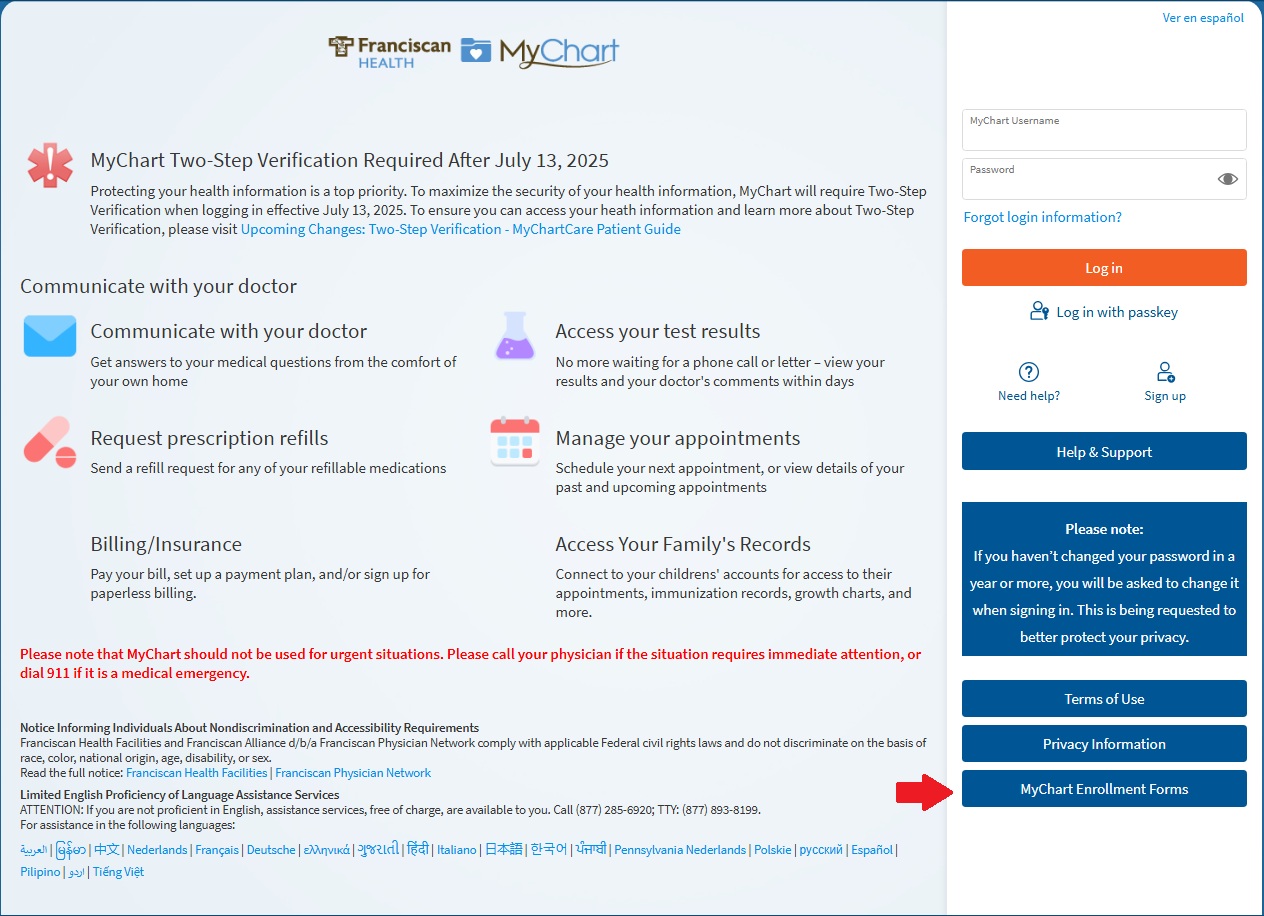
Liz starts by going to the login page for her partner healthcare organization and clicking “MyChart Enrollment Forms”.
From here, Liz is sure to select the link for “Request Full Proxy Access to a Child’s MyChart Information” as there are several different forms listed.
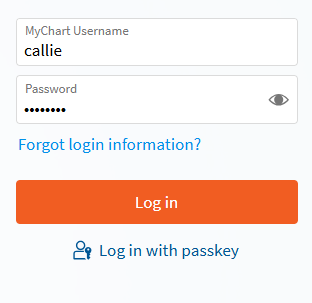
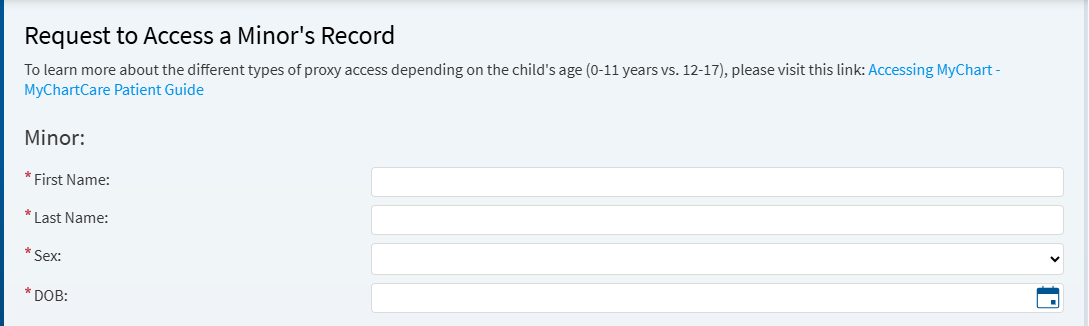
Liz then logs into MyChart and enters Peggy’s information. After this, Liz will enter her own personal information.
Finally, Liz clicks “Submit Request” and awaits a manual review of her request to become proxy of Peggy’s MyChart account.
NOTE: You will need your own MyChart account to complete this process. If you do not have an active MyChart account, review Setting Up a MyChart Login for Yourself (Adult)
-
Go to the login page for your partner healthcare organization.
-
Click on "MyChart Enrollment Forms"
-
In the MyChart Proxy Enrollment section, select the link for "Request Full Proxy Access to a Child's MyChart Information."
There are several forms here for different types of proxy request. Be sure to select the appropriate form link.

-
Log into MyChart.
-
Enter Child's information.
This is the child’s information that is to be entered, not yours.
-
Enter your information.
This is your information and how the patient is related to you.

-
Click "Submit Request" and await manual review.
MyChart Support Center staff will review the form to ensure the information is complete and accurate. The MyChart Support Center will contact the patient and parent/guardian to complete the process.
Parents/guardians can be granted proxy access their child’s (age 11 and younger) MyChart account. Proxy access allows the parent/guardian to review the child’s medical history, manage appointments, message the child’s provider, and much more.
NOTE: When a child reaches the age of 12, proxy access for the parent/guardian is automatically changed to Limited Adolescent Proxy Access.
NOTE: If you are a mother who delivered your newborn at a Franciscan facility after May 14, 2024, you may already have proxy access granted through Automatic Newborn Proxy setup.
If you are looking for a different type of access, review Accessing MyChart
Follow these steps to request proxy access to your child’s account.
Carum Family Scenario: In this scenario, Peggy (age 12 months) will be the child patient and Liz (age 34) will be the proxy.
Liz is Peggy’s mother and since Peggy is a child (age 11 and younger), Liz needs to request proxy access to Peggy’s MyChart account.
Liz starts by going to the login page for her partner healthcare organization and clicking “MyChart Enrollment Forms”.
From here, Liz is sure to select the link for “Request Full Proxy Access to a Child’s MyChart Information” as there are several different forms listed.
Liz then logs into MyChart and enters Peggy’s information. After this, Liz will enter her own personal information.
Finally, Liz clicks “Submit Request” and awaits a manual review of her request to become proxy of Peggy’s MyChart account.
NOTE: You will need your own MyChart account to complete this process. If you do not have an active MyChart account, review Setting Up a MyChart Login for Yourself (Adult)
-
Go to the login page for your partner healthcare organization.
-
Click on "MyChart Enrollment Forms"
-
In the MyChart Proxy Enrollment section, select the link for "Request Full Proxy Access to a Child's MyChart Information."
There are several forms here for different types of proxy request. Be sure to select the appropriate form link.
-
Log into MyChart.
-
Enter Child's information.
This is the child’s information that is to be entered, not yours.
-
Enter your information.
This is your information and how the patient is related to you.
-
Click "Submit Request" and await manual review.
MyChart Support Center staff will review the form to ensure the information is complete and accurate. The MyChart Support Center will contact the patient and parent/guardian to complete the process.