Forgot Login Information
If you’re having trouble logging in to MyChart, this article provides clear steps to recover your username or reset your password. Following these instructions will help you regain access to your account and continue managing your health information, appointments, test results, and messages with your care team.
-
Go to The Appropriate Website
Each one of our partners has a separate website that should be used to access the appropriate MyChart portal. The Partners page has links to each of the MyChart Login pages.
If you are using the mobile application, be sure you are selecting the appropriate organization. More information is available here: Log Into MyChart on a Smartphone/Tablet
-
Select "Forgot Login Information"
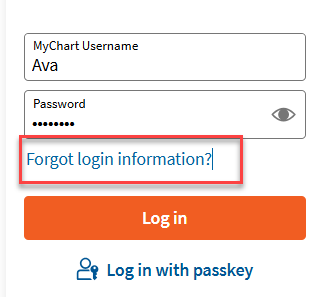
Just below the password field, there is a link labeled “Forgot login information?” Click on the link.
-
Recover Your Account
To protect your privacy, we need to confirm your identity.
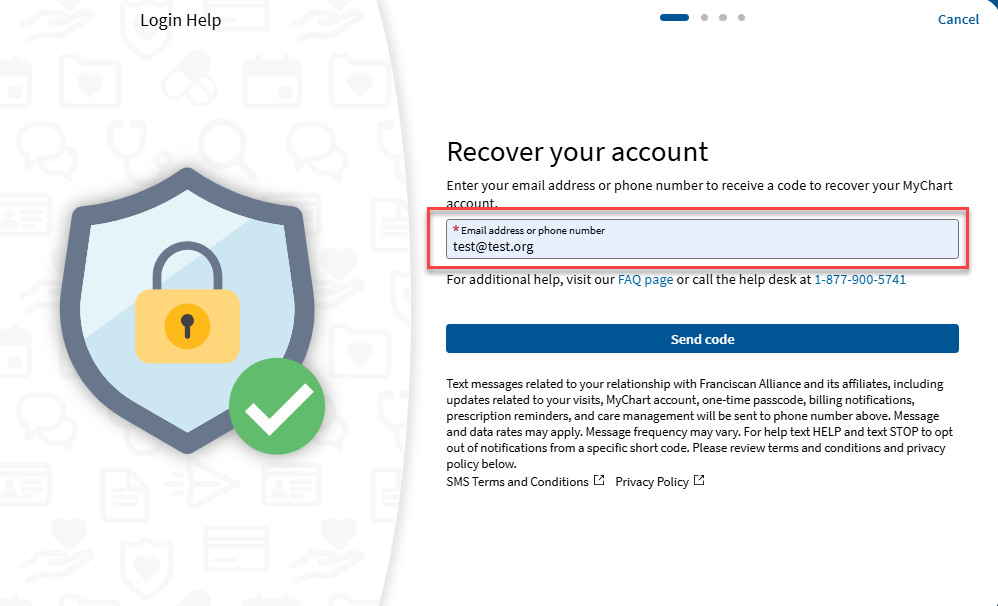
Enter the email address or phone number linked to your MyChart account, and we’ll send you a one-time verification code.
-
Retrieve Two-Step Verification Code from Phone or Email
Depending on the item your verifying, you will need to go to the either the email or the phone to retrieve your code.
IMPORTANT: We will never ask for this code. This code should never be shared with anyone. If someone claiming to be MyChart Support asks for this code – do not respond and call our MyChart Support Center at 1-877-900-5741 immediately.
Email
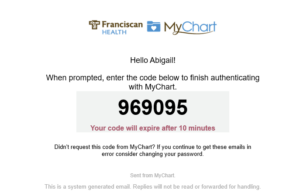
Please allow 2 minutes for the code to be delivered. It will come from “noreply@franciscanalliance.org”. If you are concerned that the email is blocked, please review Common Email Instructions for suggested steps.
Text Message to Phone
Please allow one minute to receive code. This will come from a sending number of 32056. If you are concerned that the message has been blocked, please review How do I Opt In to Franciscan Alliance & Affiliates Texting? for more instructions.

-
Enter Two-Step Verification Code Back into MyChart
Once you have obtained the code sent to either the email or phone number, enter the code into the field to complete the process and click “Verify”.
If you wish to mark this device as a trusted device, you can do so here. For more information on Trusted Devices, please review Trusted Devices and How to Manage Them in MyChart.
Mobile Device Web Browser 

-
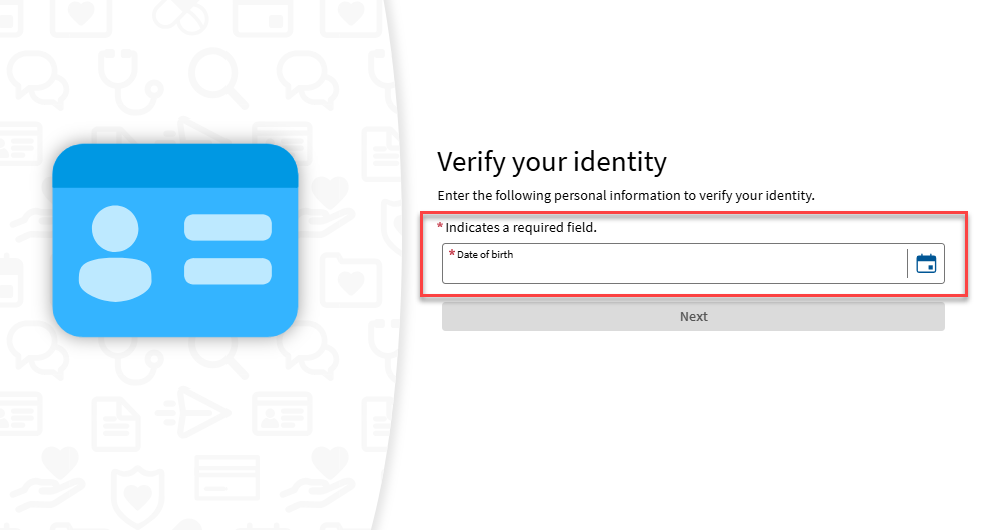
Verify your identity
As a secondary step to verify your identity, enter your date of birth.
-
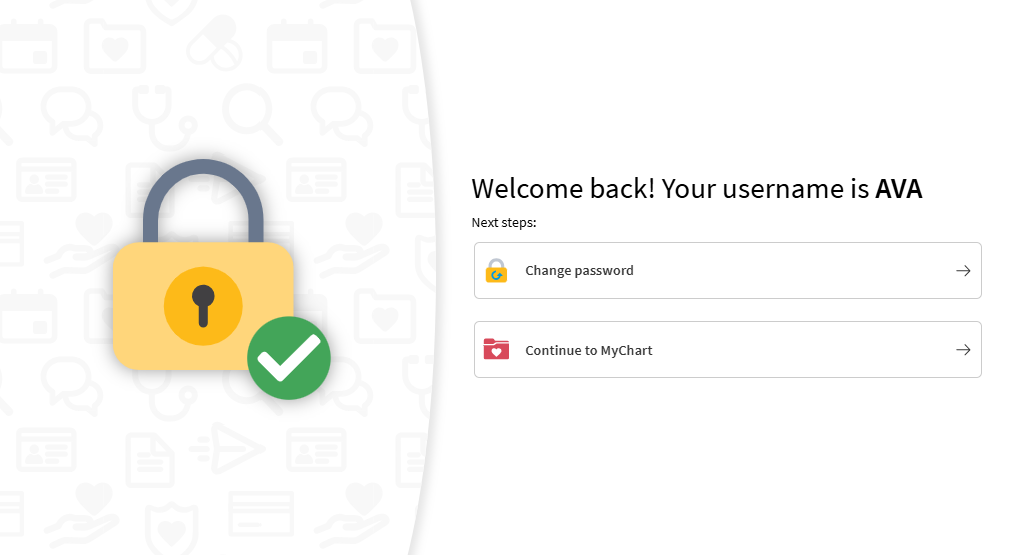
Retrieve your username or Reset your password
Your username will appear on the screen. If you do not need to reset your password, you can select “Continue to MyChart”
If you forgot your password, select “Change Password”
-
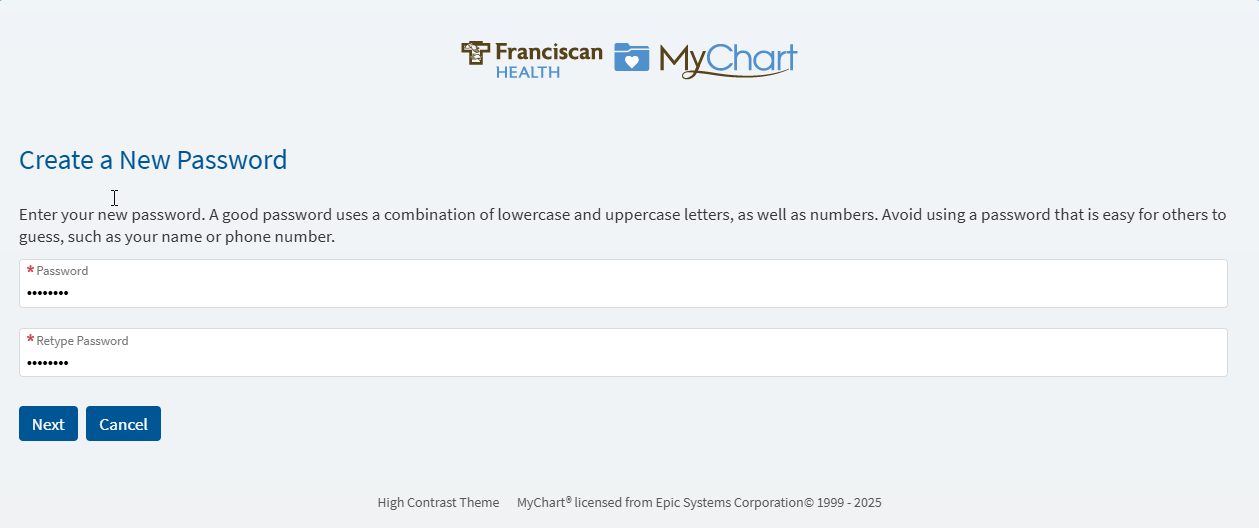
Create a New Password
If you choose to “Change your password”, you will be able to create a new password. You will need to enter the new password twice to confirm it is accurately entered.
-
View Main Page
That’s it! You are now logged into MyChart.
Try following the instructions found here: Forgot Login Information
To protect your health information, your MyChart account will lock after five incorrect login attempts. To have your account unlocked and for assistance resetting your password, please call the MyChart Support Center at 1-877-900-5741.
Try following the instructions found here: Forgot Login Information
Try following the instructions found here: Forgot Login Information
If you’re having trouble logging in to MyChart, this article provides clear steps to recover your username or reset your password. Following these instructions will help you regain access to your account and continue managing your health information, appointments, test results, and messages with your care team.
-
Go to The Appropriate Website
Each one of our partners has a separate website that should be used to access the appropriate MyChart portal. The Partners page has links to each of the MyChart Login pages.
If you are using the mobile application, be sure you are selecting the appropriate organization. More information is available here: Log Into MyChart on a Smartphone/Tablet
-
Select "Forgot Login Information"
Just below the password field, there is a link labeled “Forgot login information?” Click on the link.
-
Recover Your Account
To protect your privacy, we need to confirm your identity.
Enter the email address or phone number linked to your MyChart account, and we’ll send you a one-time verification code.
-
Retrieve Two-Step Verification Code from Phone or Email
Depending on the item your verifying, you will need to go to the either the email or the phone to retrieve your code.
IMPORTANT: We will never ask for this code. This code should never be shared with anyone. If someone claiming to be MyChart Support asks for this code – do not respond and call our MyChart Support Center at 1-877-900-5741 immediately.
Email
Please allow 2 minutes for the code to be delivered. It will come from “noreply@franciscanalliance.org”. If you are concerned that the email is blocked, please review Common Email Instructions for suggested steps.
Text Message to Phone
Please allow one minute to receive code. This will come from a sending number of 32056. If you are concerned that the message has been blocked, please review How do I Opt In to Franciscan Alliance & Affiliates Texting? for more instructions.
-
Enter Two-Step Verification Code Back into MyChart
Once you have obtained the code sent to either the email or phone number, enter the code into the field to complete the process and click “Verify”.
If you wish to mark this device as a trusted device, you can do so here. For more information on Trusted Devices, please review Trusted Devices and How to Manage Them in MyChart.
Mobile Device Web Browser -
Verify your identity
As a secondary step to verify your identity, enter your date of birth.
-
Retrieve your username or Reset your password
Your username will appear on the screen. If you do not need to reset your password, you can select “Continue to MyChart”
If you forgot your password, select “Change Password”
-
Create a New Password
If you choose to “Change your password”, you will be able to create a new password. You will need to enter the new password twice to confirm it is accurately entered.
-
View Main Page
That’s it! You are now logged into MyChart.
Try following the instructions found here: Forgot Login Information
To protect your health information, your MyChart account will lock after five incorrect login attempts. To have your account unlocked and for assistance resetting your password, please call the MyChart Support Center at 1-877-900-5741.
Try following the instructions found here: Forgot Login Information
Try following the instructions found here: Forgot Login Information