Get ready for Your Appointment in MyChart
If your upcoming appointment is within the next 14 days, you can use MyChart to complete check in. Follow the steps here to complete the process.
-
Log into MyChart
See login options: MyChart Login
-
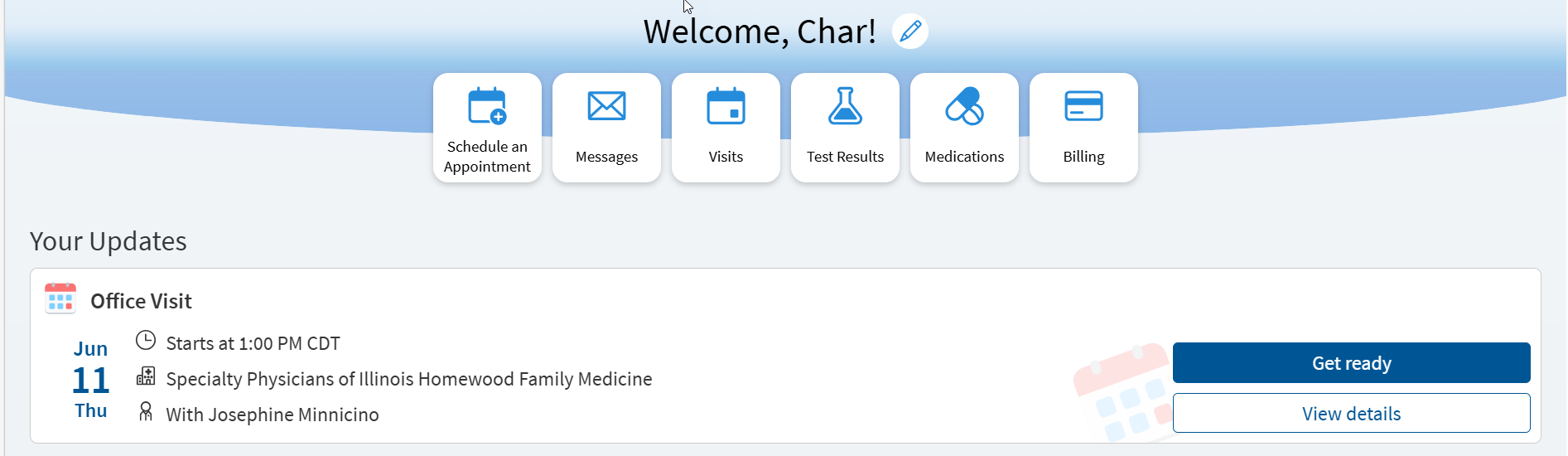
Click "Get Ready" to start the check in process
-
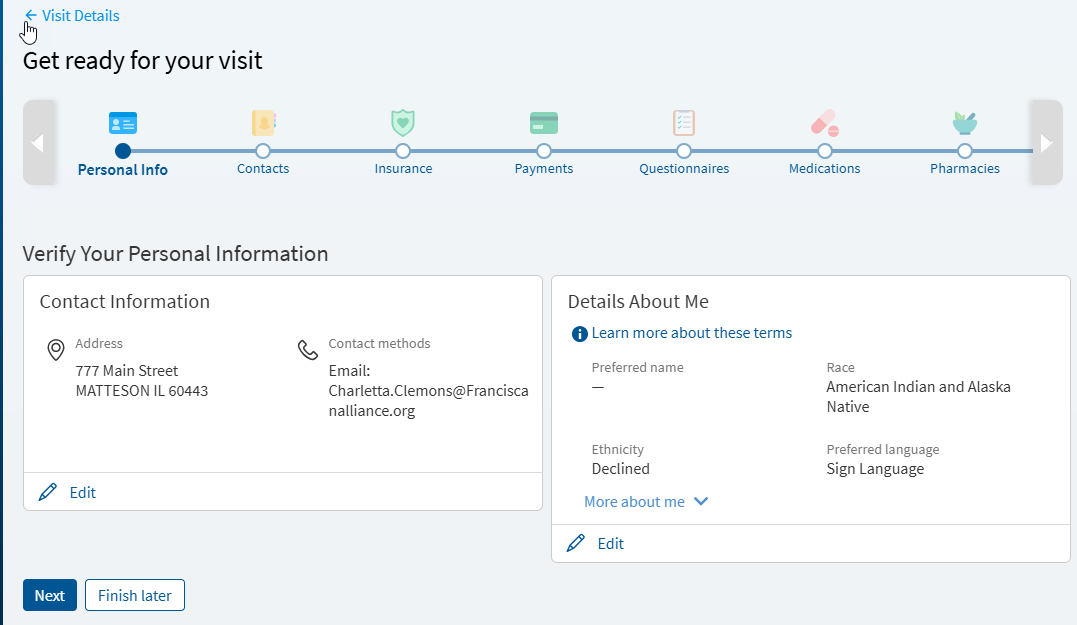
Verify demographic information
Enter new information, and make updates as needed.
-
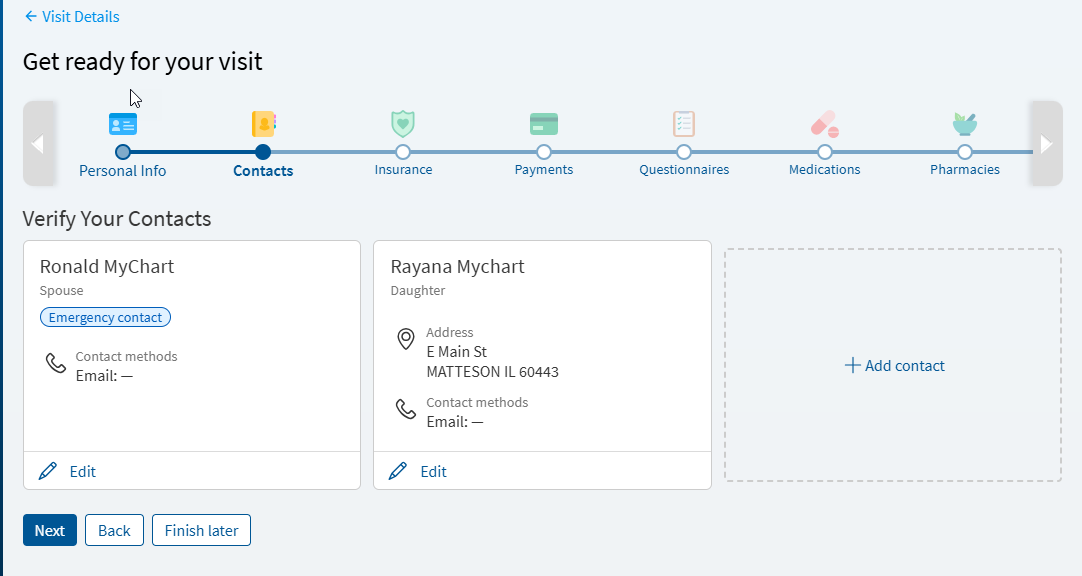
Verify your contacts or add contact
If you have updated information, such as your phone number, you will be required to verify the updated information.
-
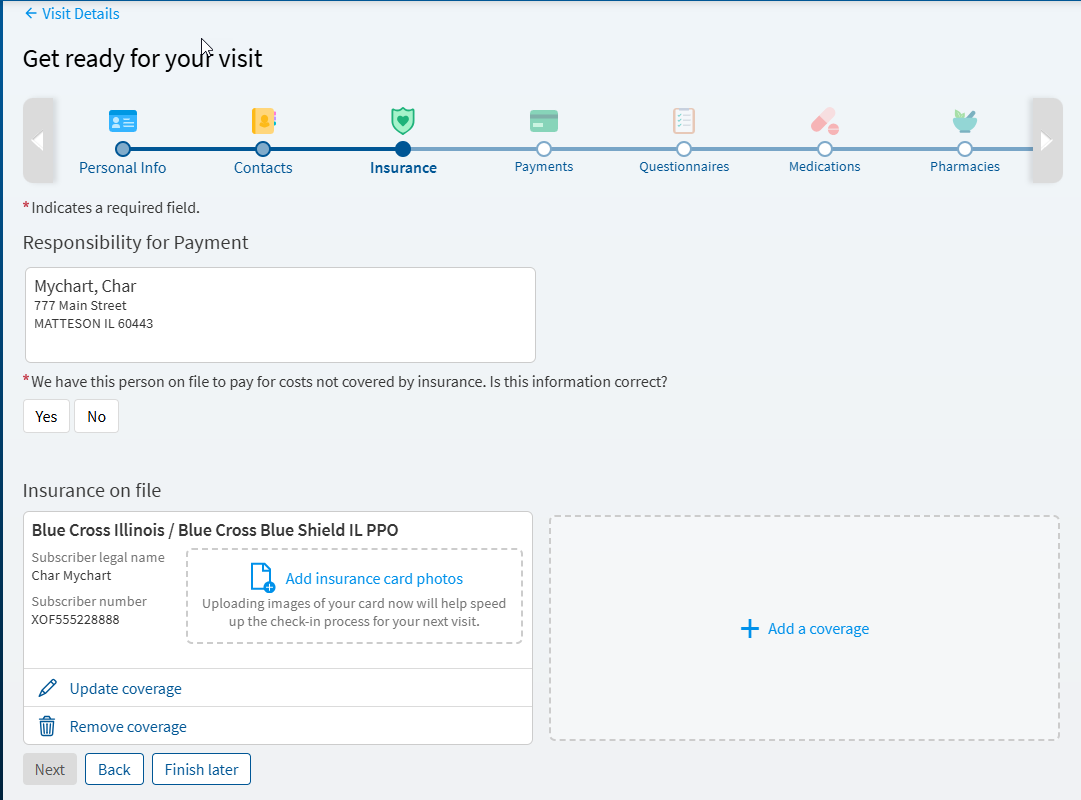
Verify the responsible party and insurance for the visit
-
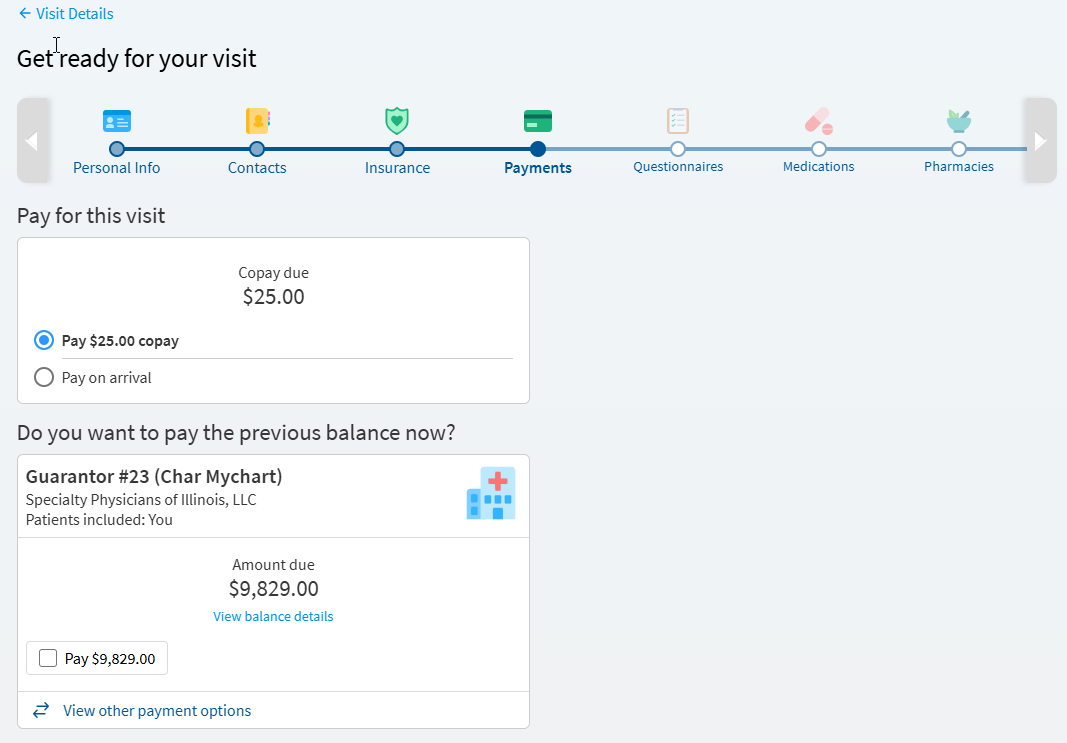
You can pay your co-pay, pre-pay, or pay an outstanding balance or choose to pay upon arrival
-
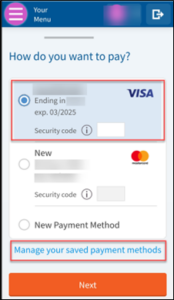
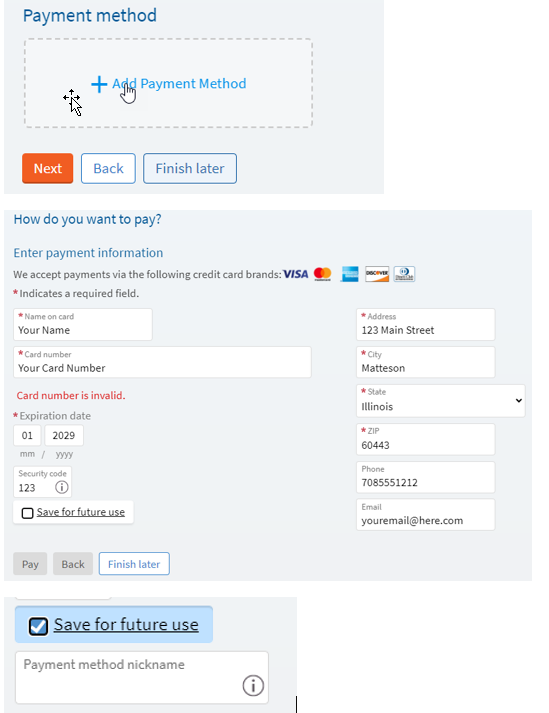
Enter credit card information and save credit card for future payments
If you save your credit card information, it will be available for selection in the future.
-
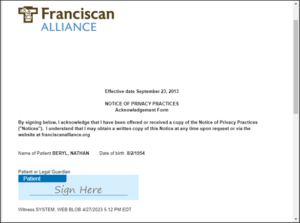
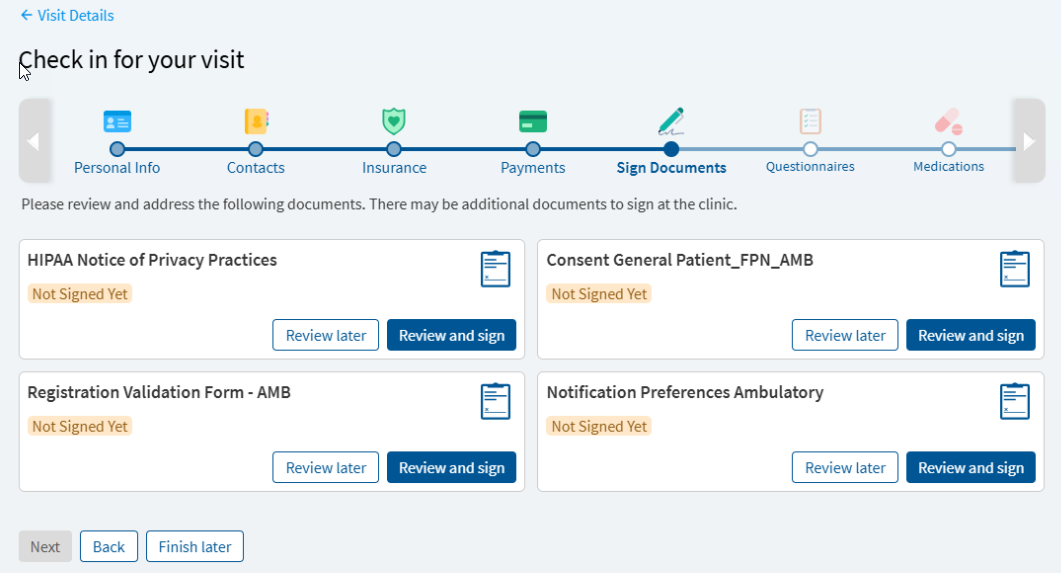
Review and sign E-Signature documents
Review and sign all documents.
-
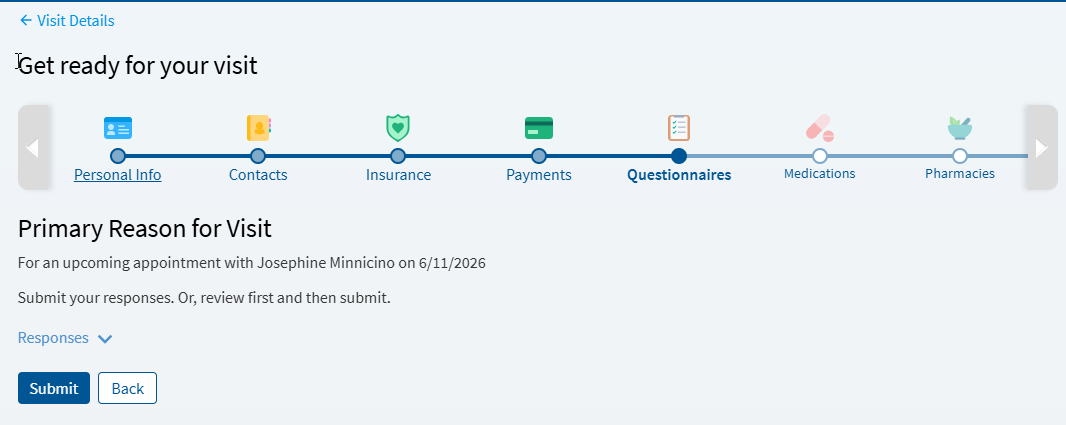
Complete primary reason for visit and any applicable questionnaires
-
Choose a primary reason for a visit
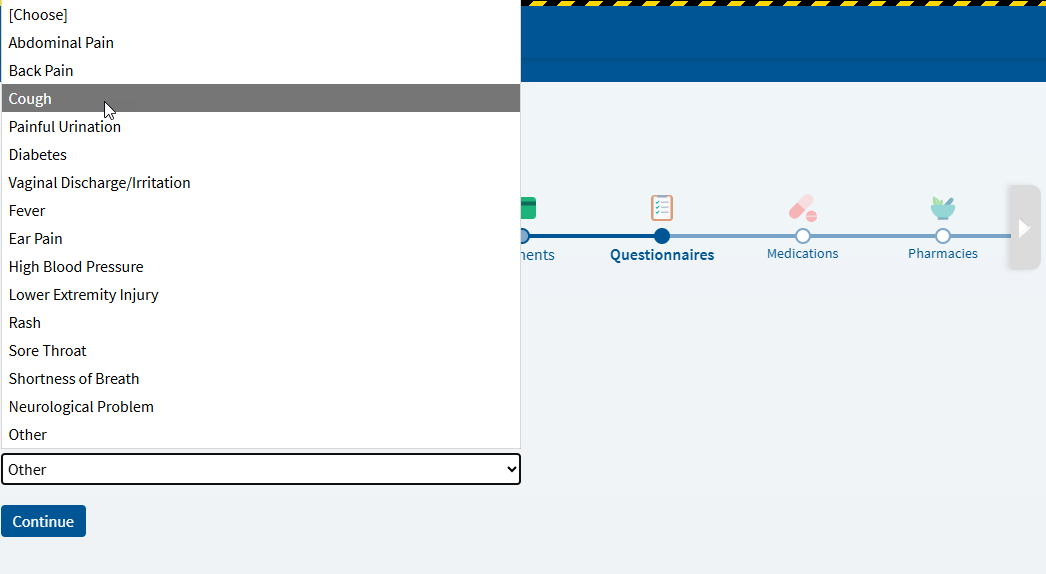
-
Complete questionnaire and select appropriate answers
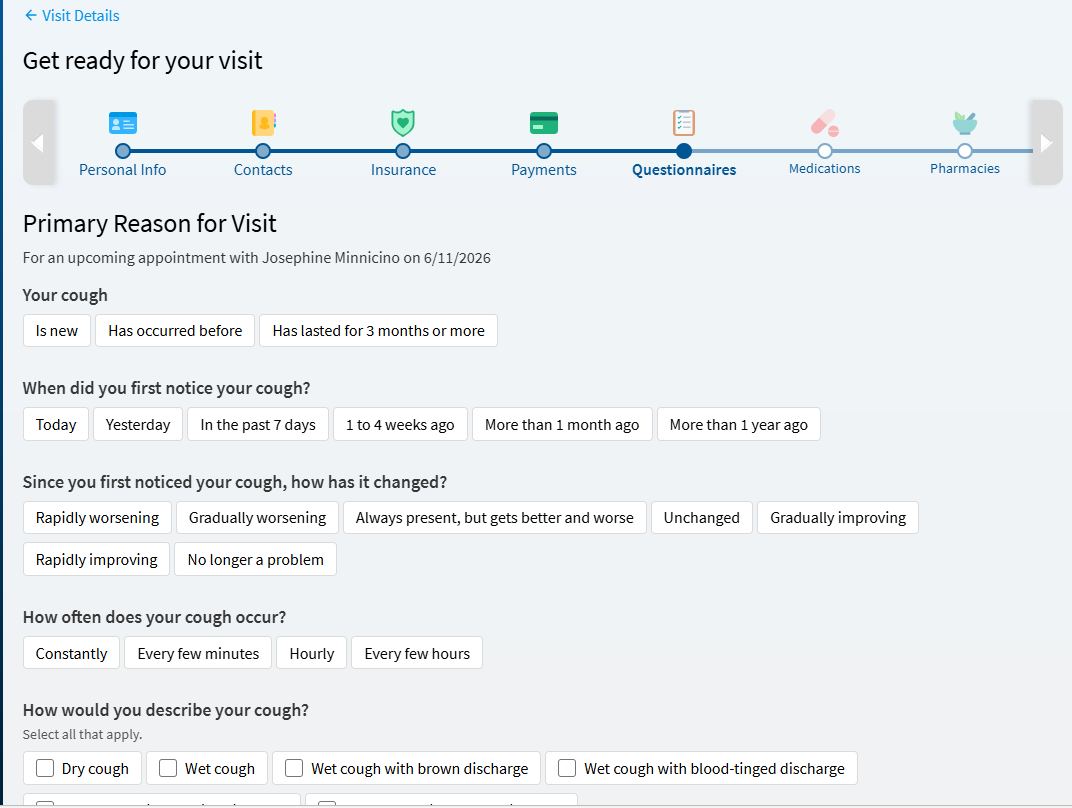
-
Review completed answers
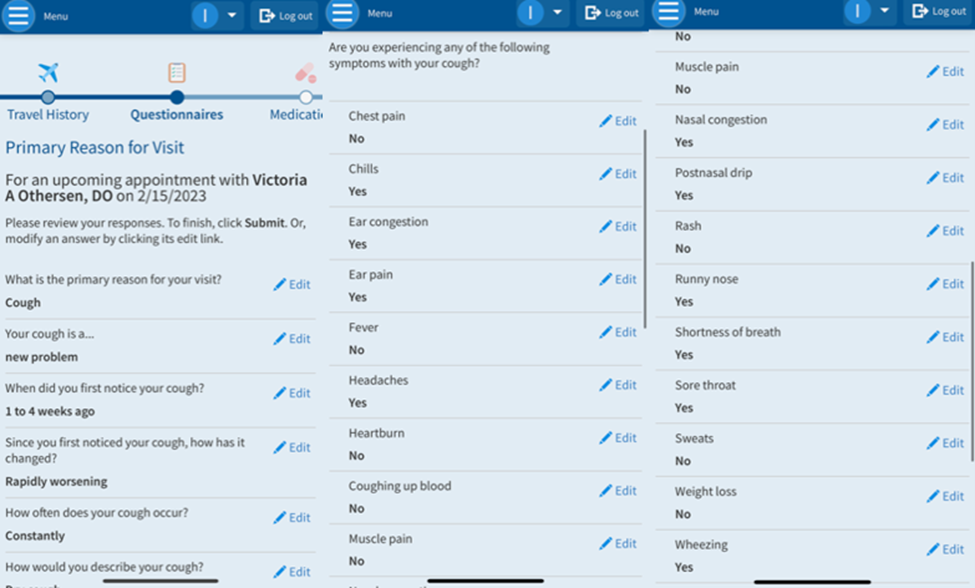
-
Submit answers
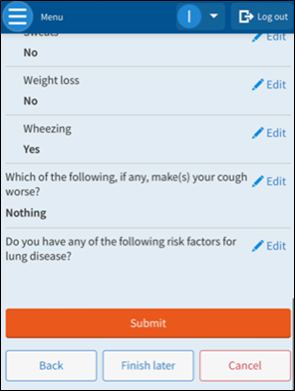
-
Review medications or report a new medication
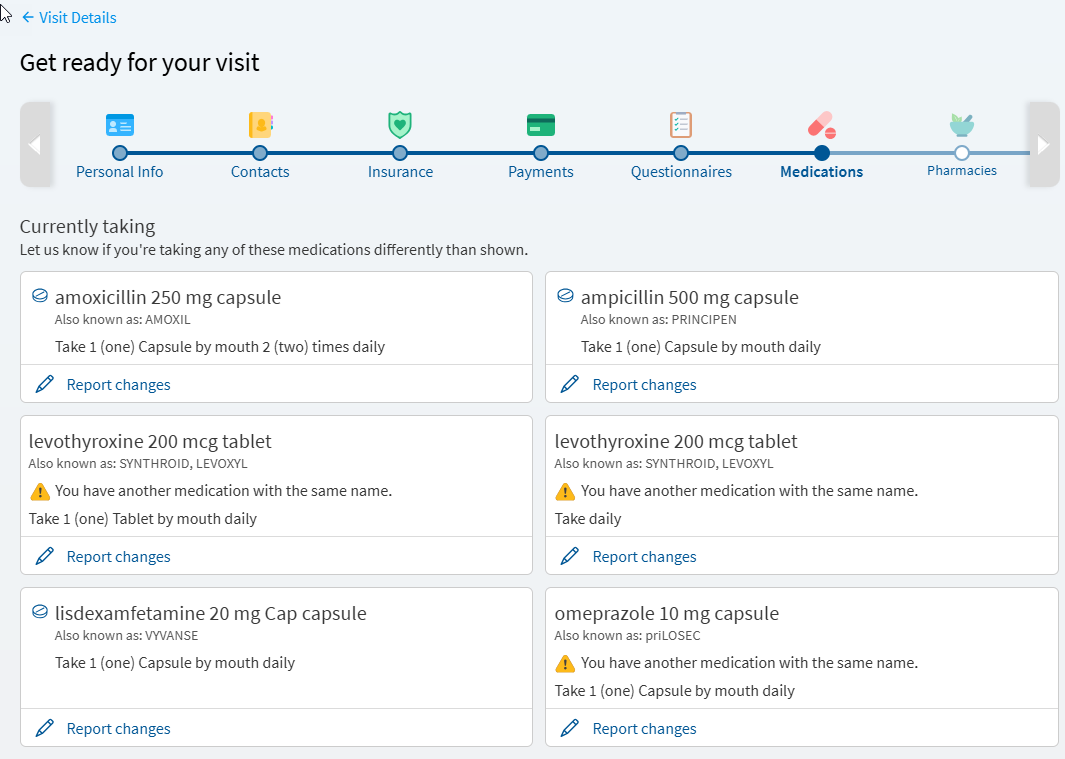
-
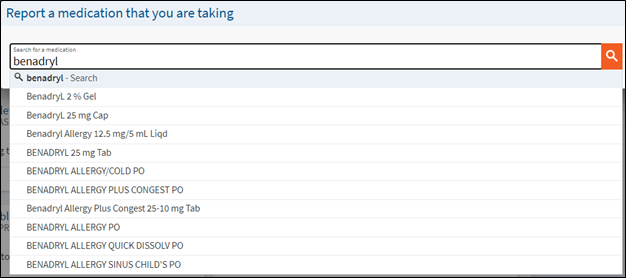
Report a new medication
-
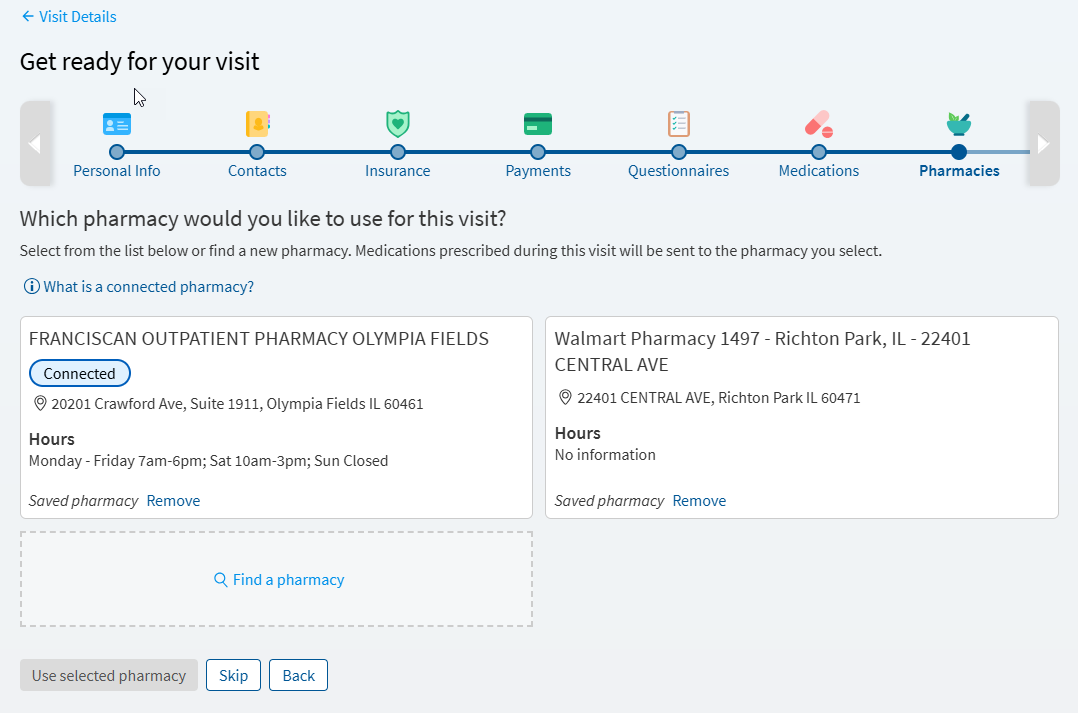
Enter a pharmacy
-
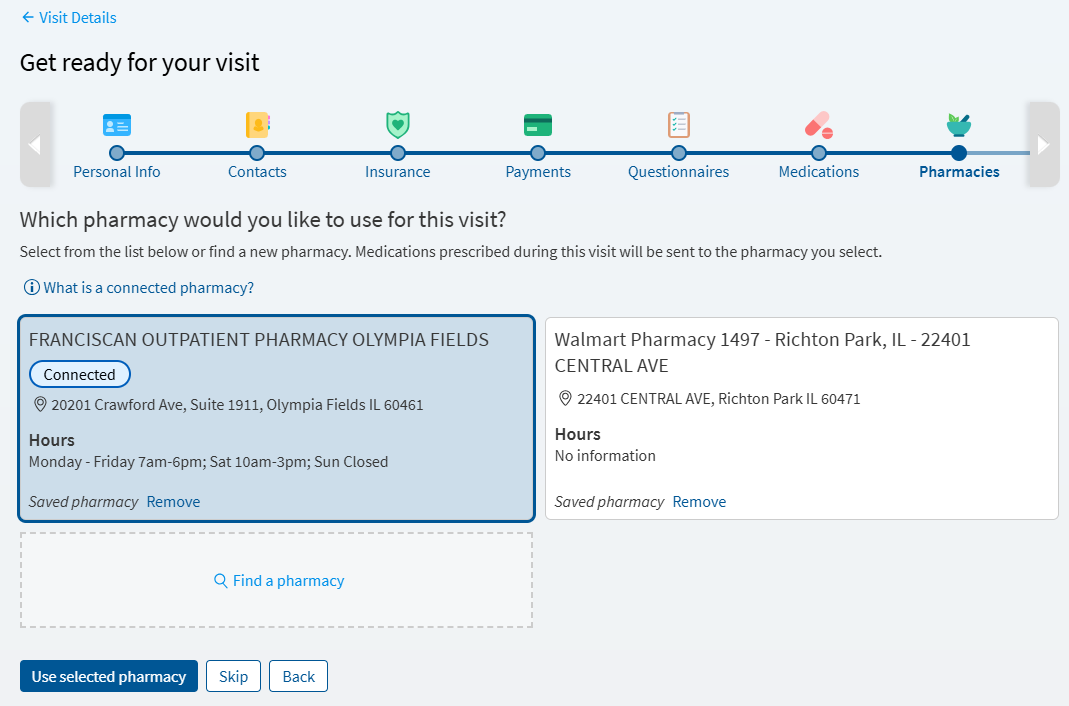
Select a pharmacy
-
Review and report any new allergies
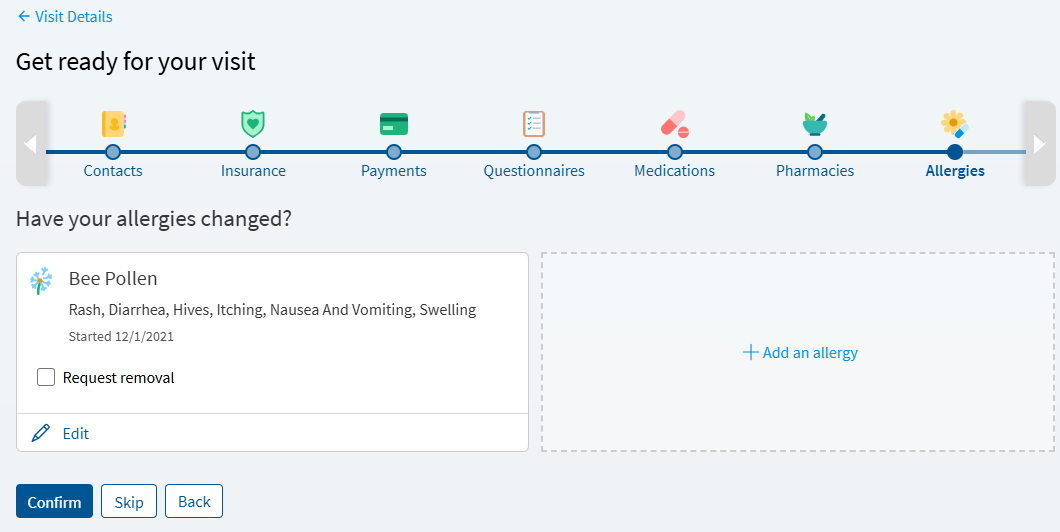
-
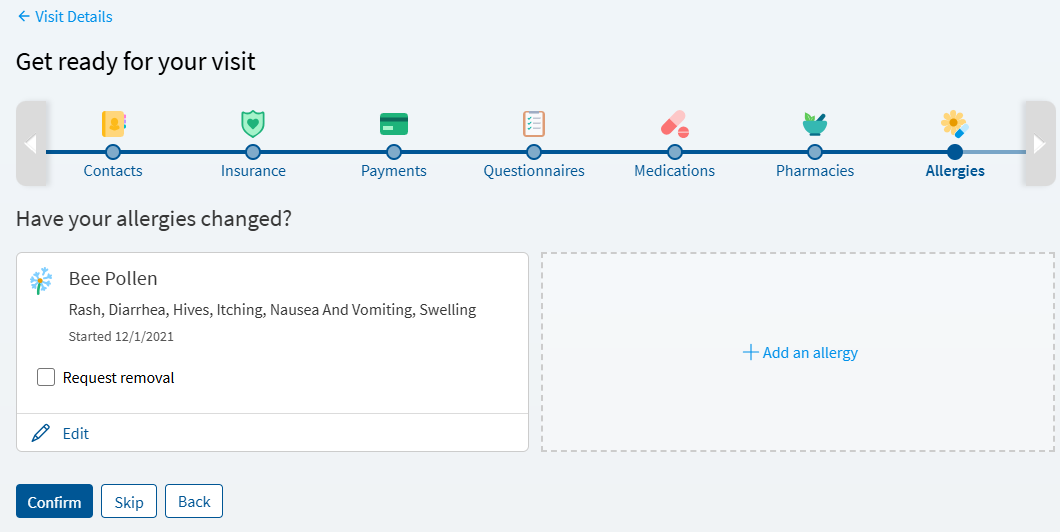
Report an allergy
-
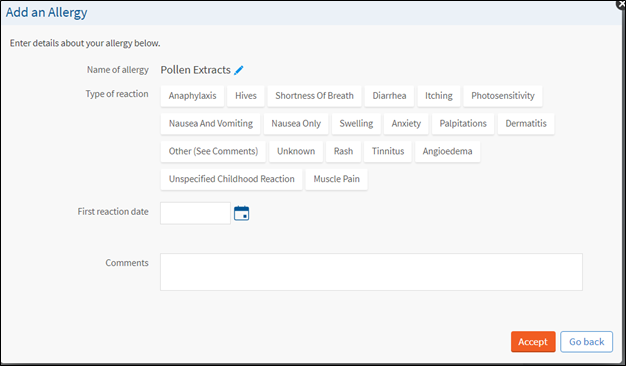
Select reaction type
-
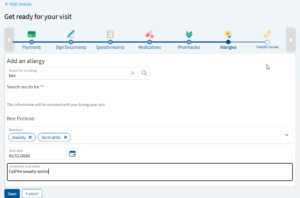
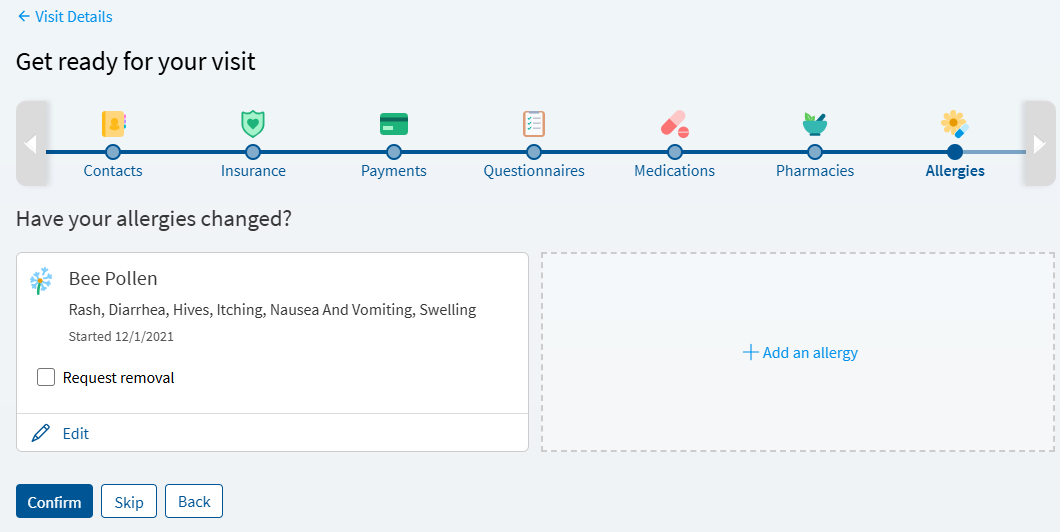
Review reported allergy or add an allergy
To add an allergy, select ” add an allergy“, complete all fields reactions, start date and include any comments for the provider.
-
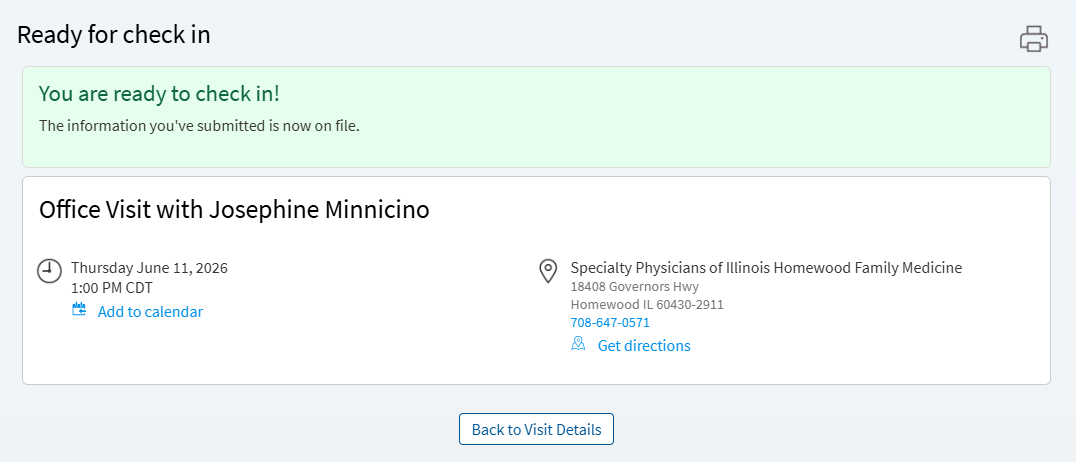
Once you complete the required get ready tasks you will receive a notification stating your check in is completed
Get Ready makes it easy to save time and conveniently check in for your upcoming doctor’s appointment from your device or desktop.
You are only asked to verify the following items after the time frame listed below has passed since the last update.
- Personal Information: 30 days
- Insurance Verification: 14 days
- Race, Ethnicity, Language: 30 days
- Clinical Updates: 30 days
- E-Visit Clinical Updates: 30 days
- Video Visit Clinical Updates: 30 days
- PCP Verification: 1 day
If your upcoming appointment is within the next 14 days, you can use MyChart to complete check in. Follow the steps here to complete the process.
-
Log into MyChart
See login options: MyChart Login
-
Click "Get Ready" to start the check in process
-
Verify demographic information
Enter new information, and make updates as needed.
-
Verify your contacts or add contact
If you have updated information, such as your phone number, you will be required to verify the updated information.
-
Verify the responsible party and insurance for the visit
-
You can pay your co-pay, pre-pay, or pay an outstanding balance or choose to pay upon arrival
-
Enter credit card information and save credit card for future payments
If you save your credit card information, it will be available for selection in the future.
-
Review and sign E-Signature documents
Review and sign all documents.
-
Complete primary reason for visit and any applicable questionnaires
-
Choose a primary reason for a visit
-
Complete questionnaire and select appropriate answers
-
Review completed answers
-
Submit answers
-
Review medications or report a new medication
-
Report a new medication
-
Enter a pharmacy
-
Select a pharmacy
-
Review and report any new allergies
-
Report an allergy
-
Select reaction type
-
Review reported allergy or add an allergy
To add an allergy, select ” add an allergy“, complete all fields reactions, start date and include any comments for the provider.
-
Once you complete the required get ready tasks you will receive a notification stating your check in is completed
Get Ready makes it easy to save time and conveniently check in for your upcoming doctor’s appointment from your device or desktop.
You are only asked to verify the following items after the time frame listed below has passed since the last update.
- Personal Information: 30 days
- Insurance Verification: 14 days
- Race, Ethnicity, Language: 30 days
- Clinical Updates: 30 days
- E-Visit Clinical Updates: 30 days
- Video Visit Clinical Updates: 30 days
- PCP Verification: 1 day
Related Topics
When you have confirmed your upcoming appointment using a reminder sent via text or email, you will ...
Starting July 12th, 2026, Franciscan and its affiliates are excited to share a small update that ...
Get Ready allows you to answer questions related to your appointment up to 14 days in advance, ...
This topic will guide you to join a video visit from a direct link that your provider or staff will ...
This topic will guide you to join a video visit from MyChart. You must have a MyChart login to ...