Need a Refill? Request Your Medication Through MyChart
Need to refill your medication? Here is how you can request refills for eligible medications directly through MyChart.
-
Log into MyChart
For more information and instructions on how to log in, please review Log Into MyChart
-
Navigate to the Shortcuts Menu
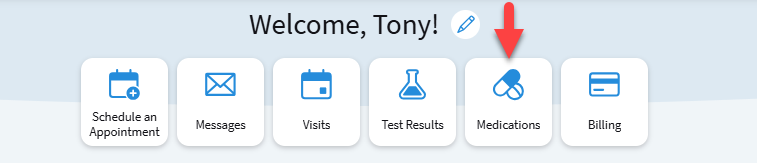
On your MyChart homepage, use the Shortcuts menu to select the “Medications” icon.
-
Request Refills
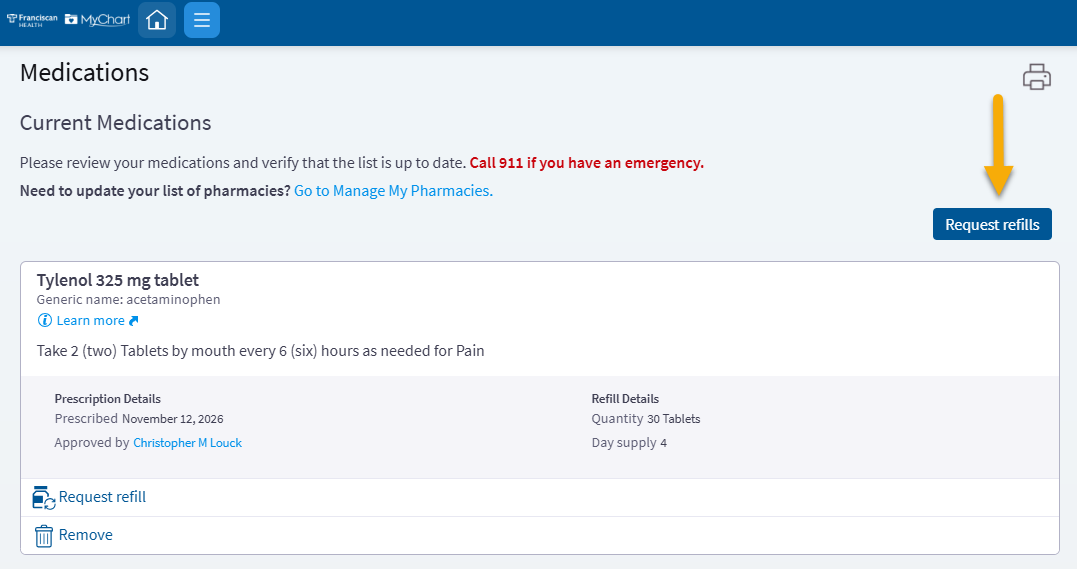
Click the “Request refills” button in the top right corner.
-
Choose Medication
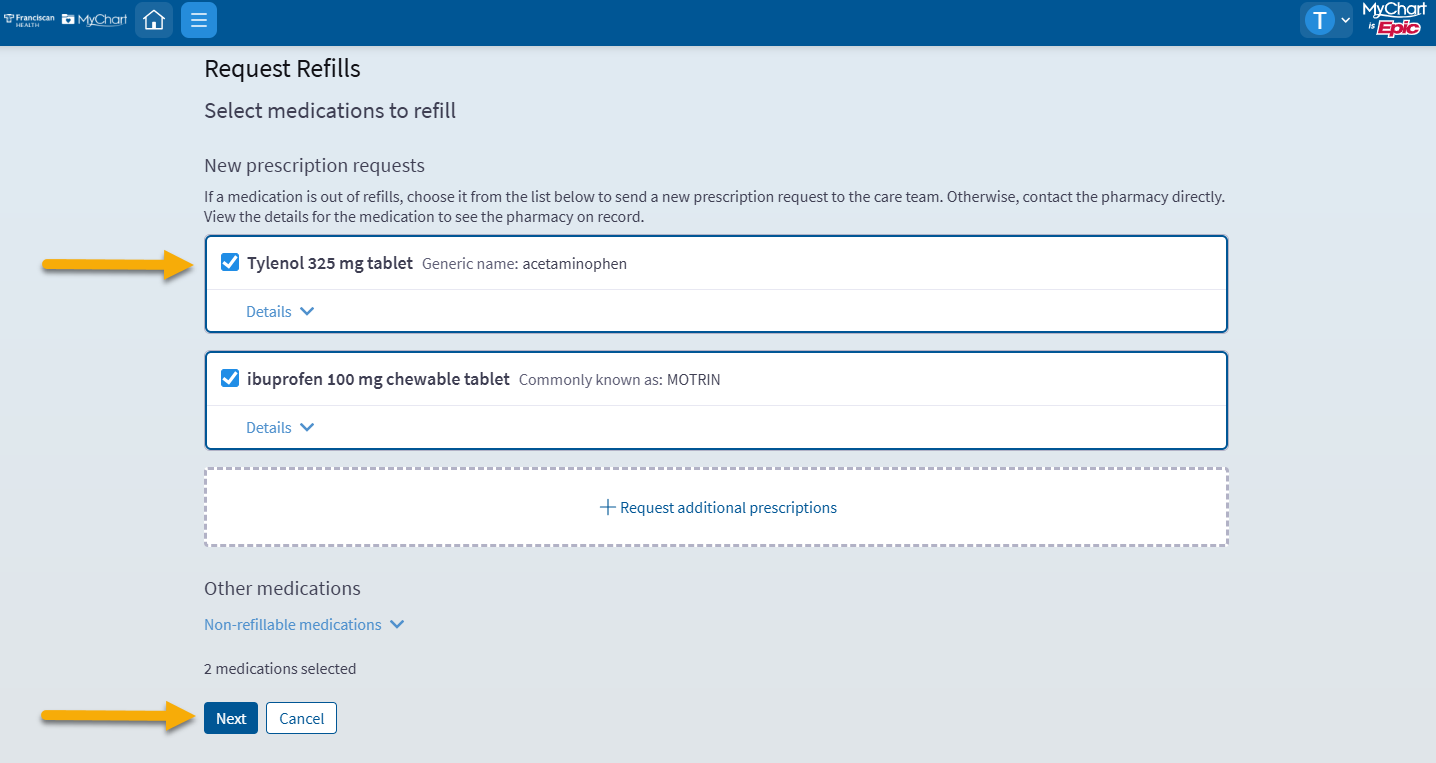
You can then choose a medication for refill and click “Next.”
NOTE: if there are no medications eligible for refill skip to step 6
-
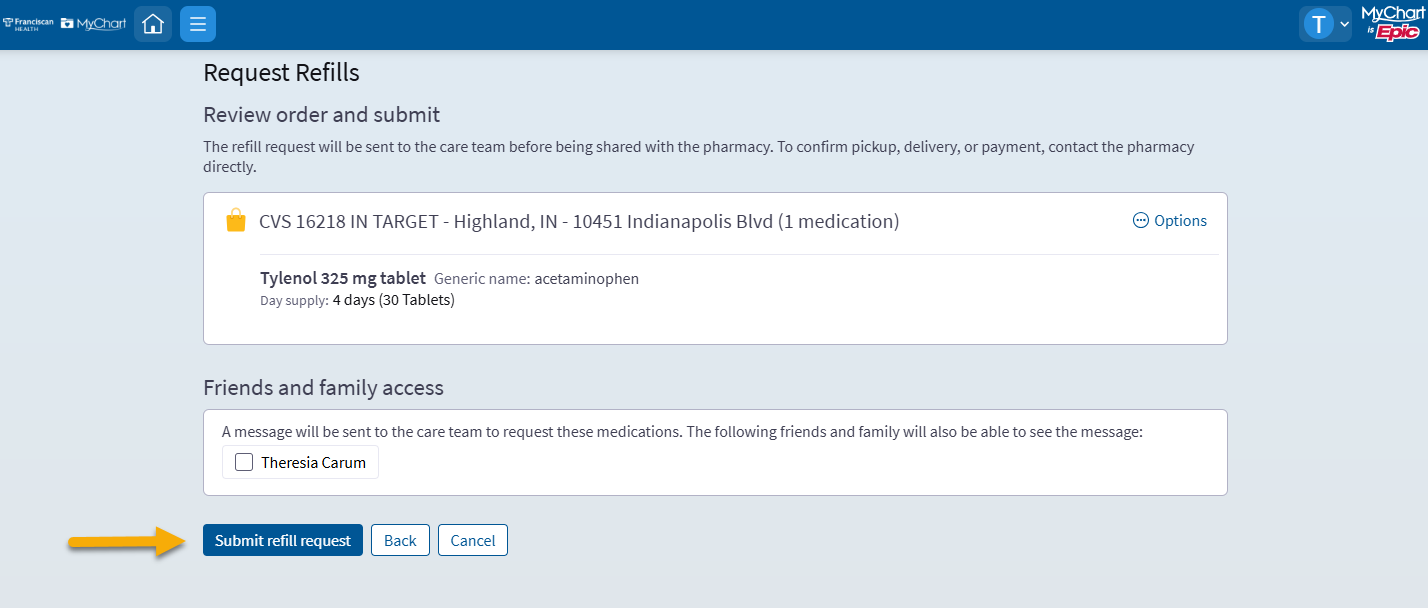
Review order and submit
Once you have chosen the medication(s) you wish to refill, you will be asked to review your order and then click “Submit refill request” in the lower left corner.
-
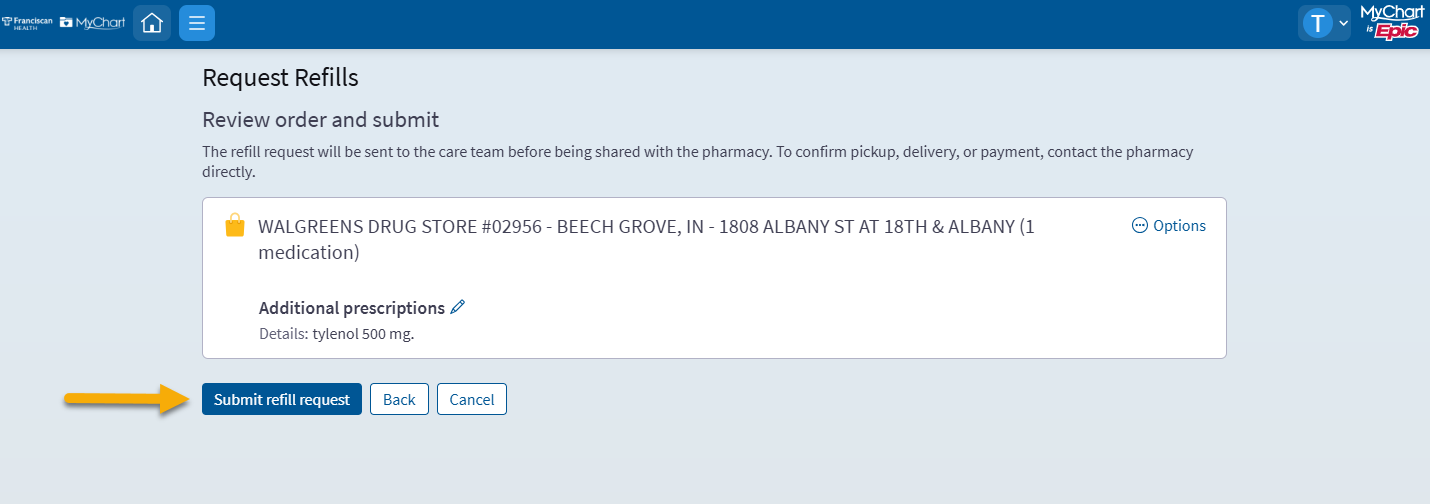
Choose Medication: for patients with no eligible medications
If you do not see any medications eligible for refill, select the “Request refills” button. Fill out your desired medication to be refilled, review your order, then press “Submit refill request.”
-
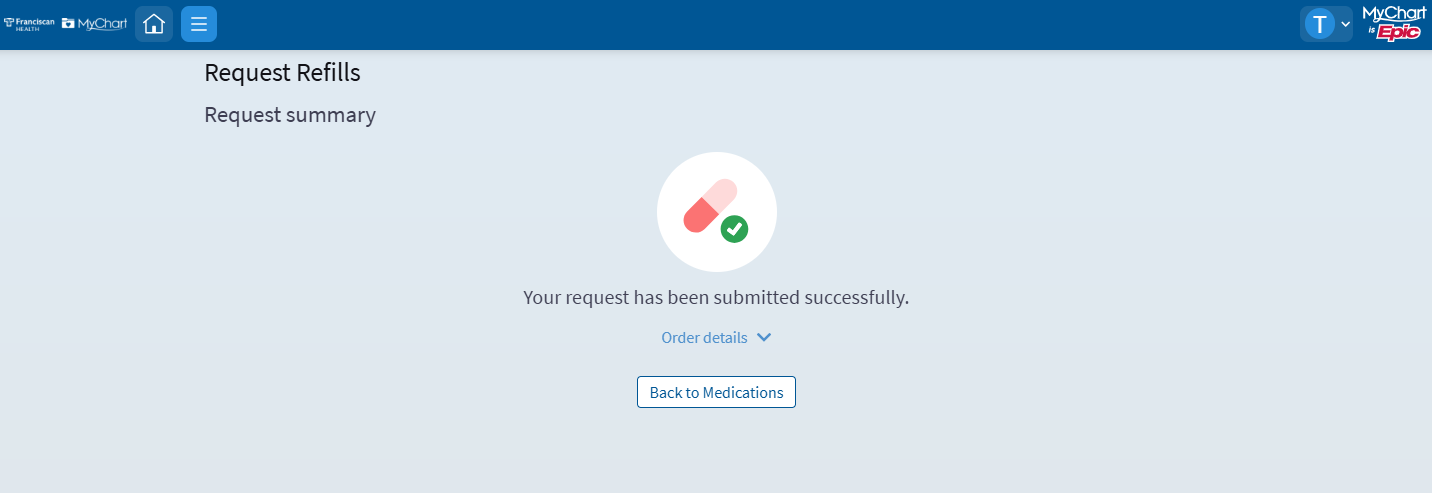
Confirmation Page
Once you’ve submitted your request, you’ll see a confirmation page. Your care team will then review the request and complete the next steps.
-
Message Center
You can view updates on your refill request in MyChart under “Message.”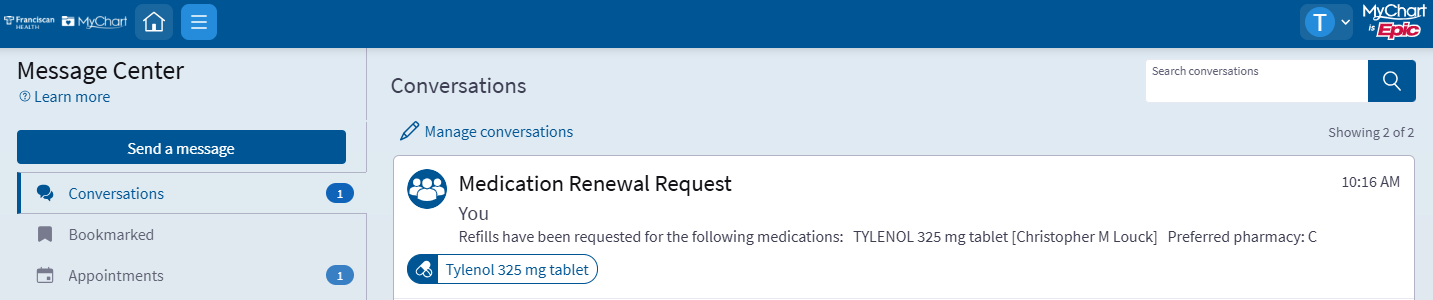
Need to refill your medication? Here is how you can request refills for eligible medications directly through MyChart.
-
Log into MyChart
For more information and instructions on how to log in, please review Log Into MyChart
-
Navigate to the Shortcuts Menu
On your MyChart homepage, use the Shortcuts menu to select the “Medications” icon.
-
Request Refills
Click the “Request refills” button in the top right corner.
-
Choose Medication
You can then choose a medication for refill and click “Next.”
NOTE: if there are no medications eligible for refill skip to step 6
-
Review order and submit
Once you have chosen the medication(s) you wish to refill, you will be asked to review your order and then click “Submit refill request” in the lower left corner.
-
Choose Medication: for patients with no eligible medications
If you do not see any medications eligible for refill, select the “Request refills” button. Fill out your desired medication to be refilled, review your order, then press “Submit refill request.”
-
Confirmation Page
Once you’ve submitted your request, you’ll see a confirmation page. Your care team will then review the request and complete the next steps.
-
Message Center
You can view updates on your refill request in MyChart under “Message.”
Related Topics
You can view and edit your preferred pharmacies in MyChart. This will save time with your doctor ...
When you are using a Franciscan pharmacy, you can send messages to the pharmacy team directly using ...